
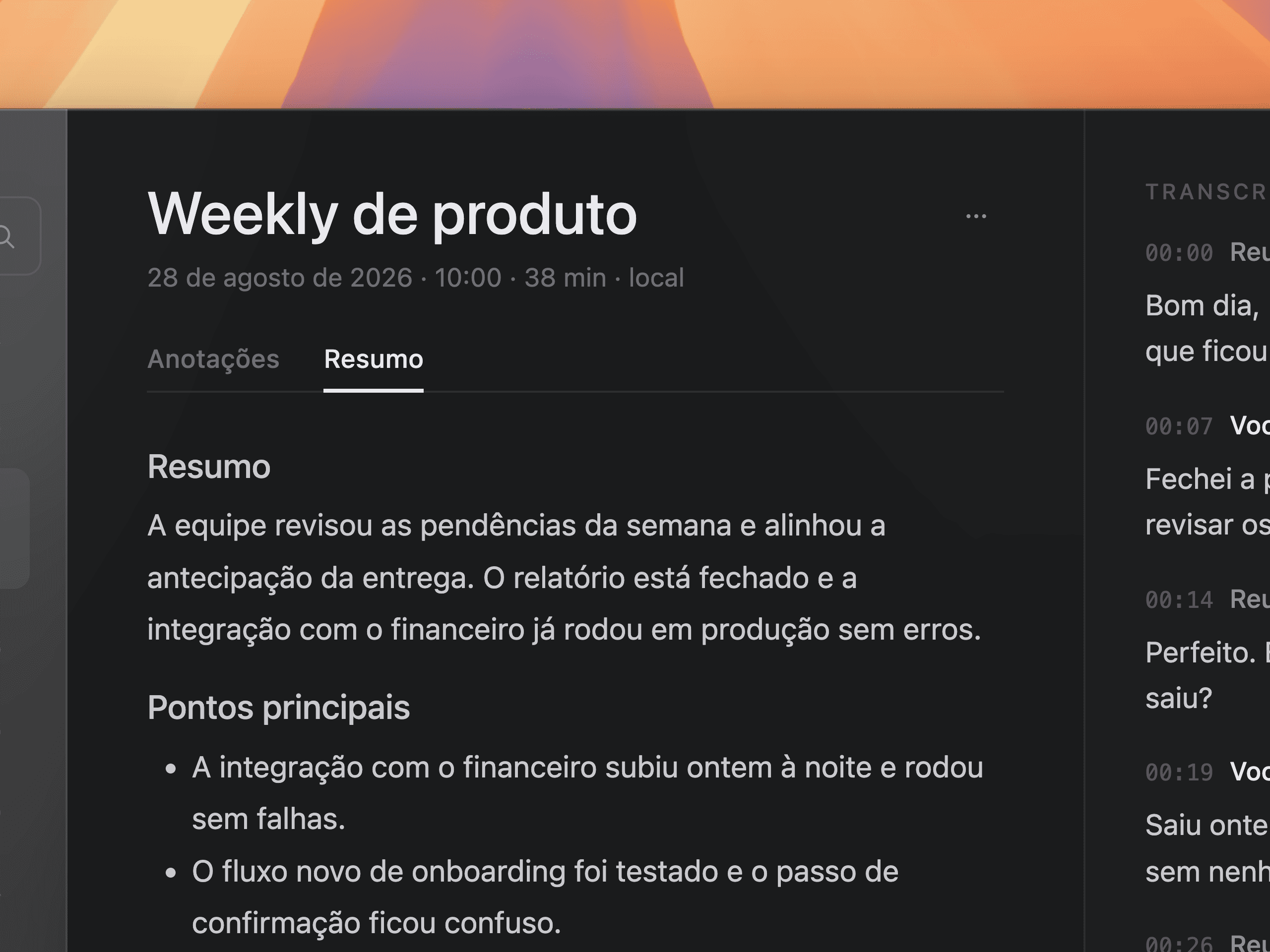
Writes itself when you hang up
You stop the recording and the summary queues without being asked. It waits for the meeting to end so it never competes with the transcription for your Mac.
Recomeet captures your microphone and system audio and transcribes everything locally, in real time. When the meeting ends, the summary writes itself on a model the app downloads once and runs on your Mac, with no account and no API key.
No commitment · Requires a Mac with Apple silicon, macOS 26
Why Recomeet
Your meeting shouldn't need a bot in the call. Today's tools record to the cloud, process on someone else's server, and hand you the notes hours later, with the whole conversation out of your control.
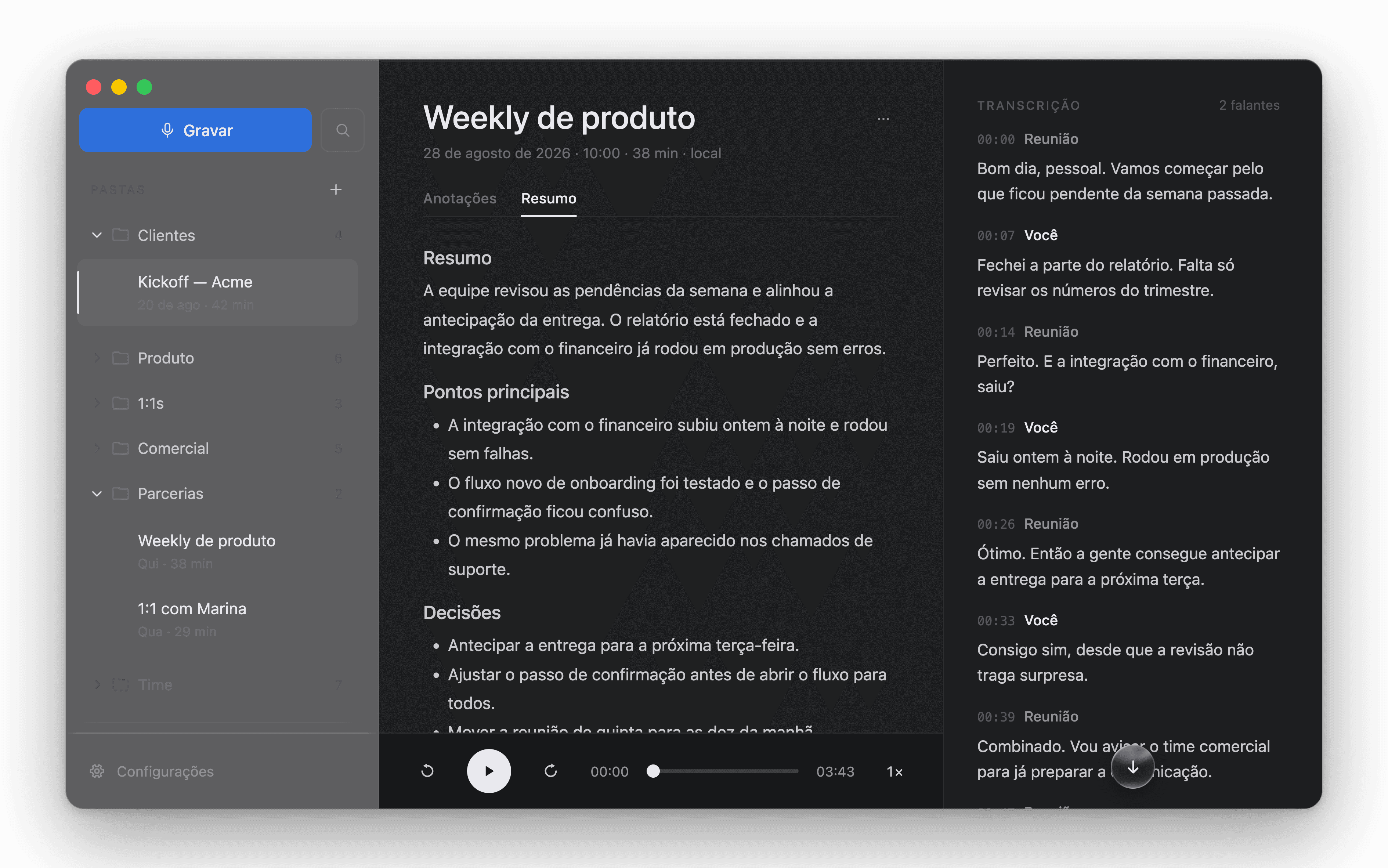
Recomeet goes the other way. It listens on your Mac itself, transcribes in real time with the macOS engine, and keeps everything on disk. The intelligence too: a local model, no key and no account.
Local transcription
Your microphone and the system audio are captured as separate tracks (You and Meeting) and transcribed locally on a single timeline. Provisional text instantly; consolidated seconds later.
Two sources, always separate
What you said and what the meeting said, without pretending to recognize each participant.
Works offline
No downloads, no uploads. Transcription doesn't depend on the internet.
macOS engine
Speech becomes text on-device, at Apple Silicon speed.
Intelligence
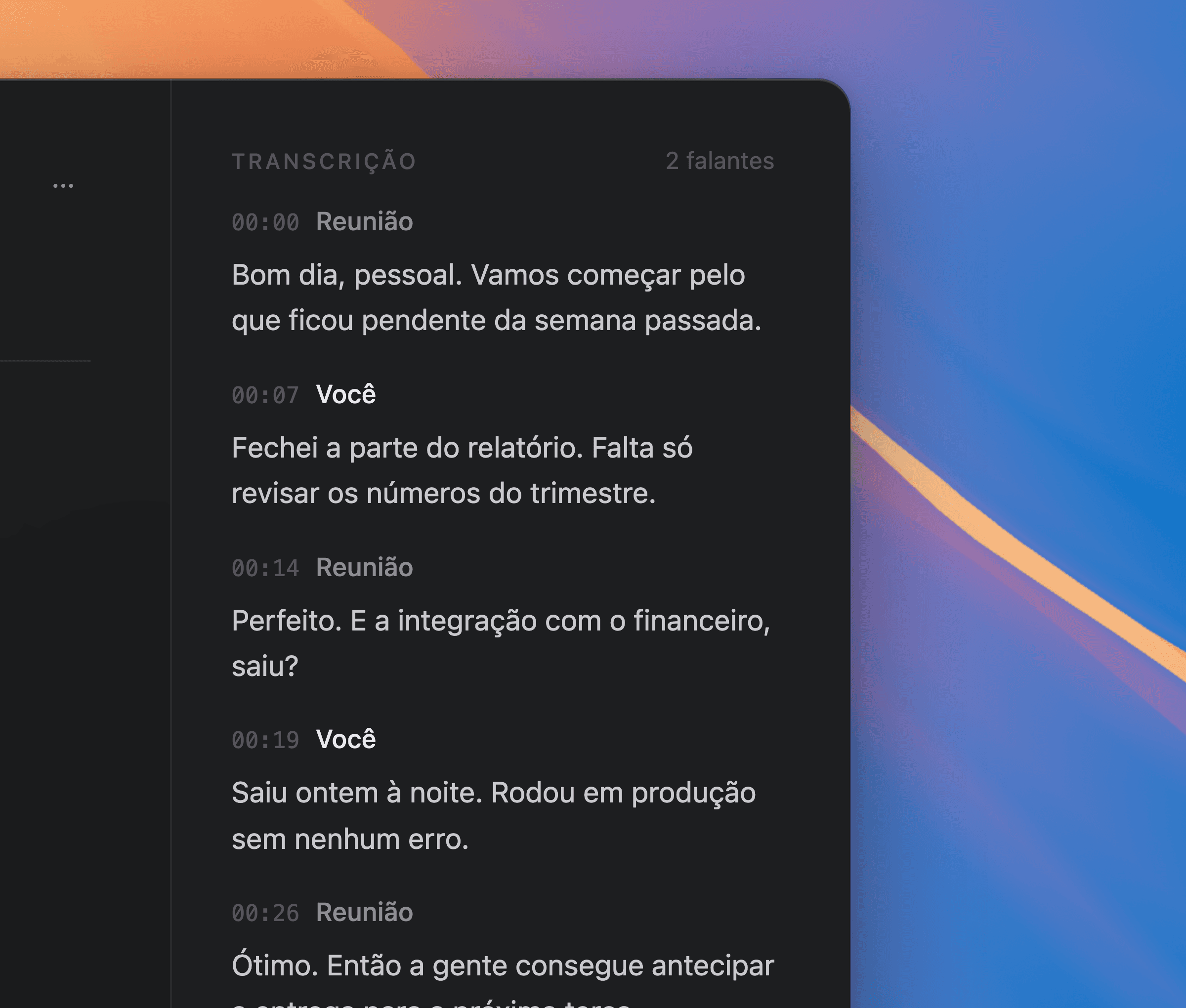
The app downloads the model you pick, once, and runs everything locally. No provider account, no API key, and not one line of the conversation leaves your Mac.
You stop the recording and the summary queues without being asked. It waits for the meeting to end so it never competes with the transcription for your Mac.
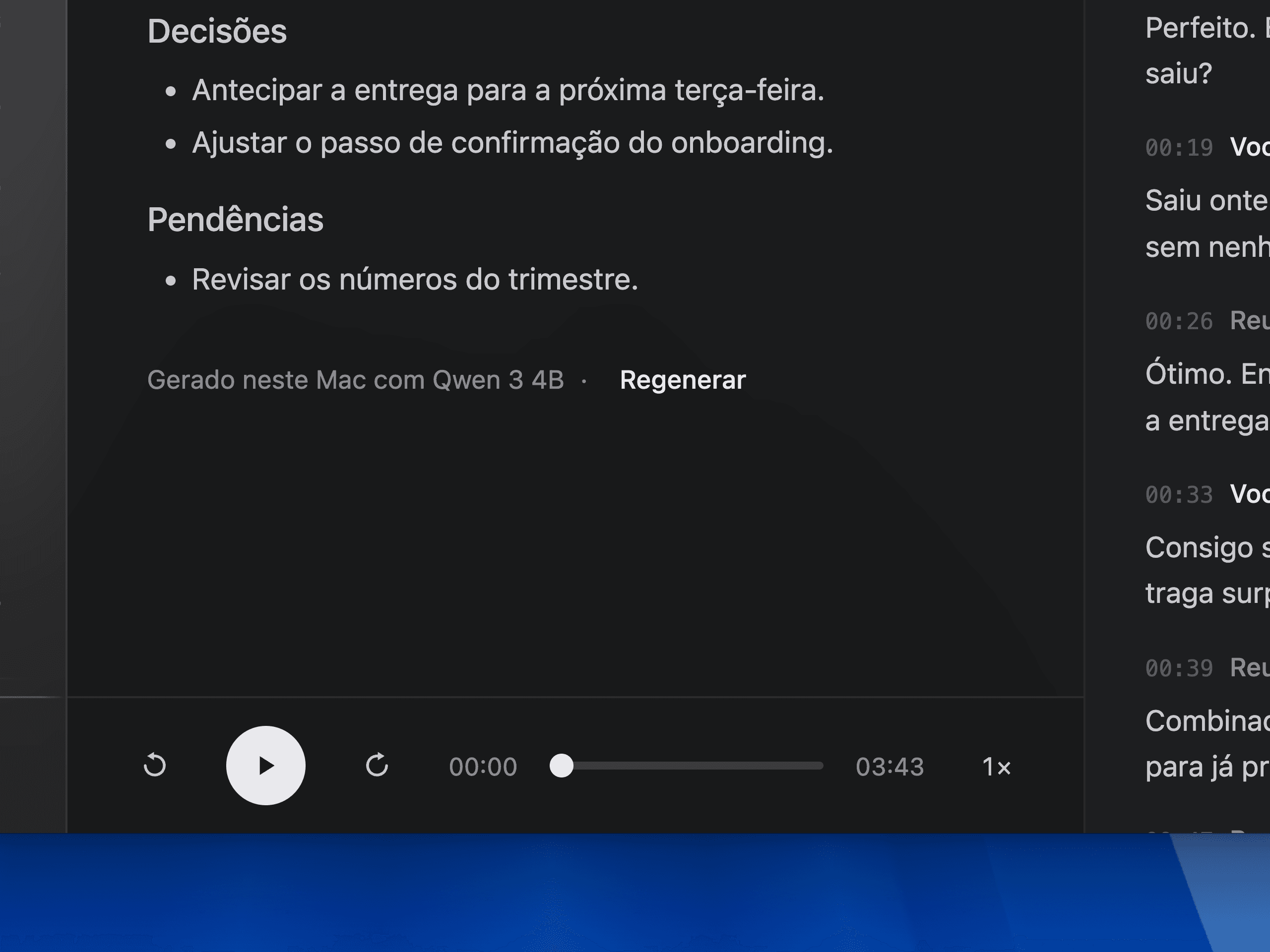
Not the angle you wanted? One click runs it again, on the same local model.
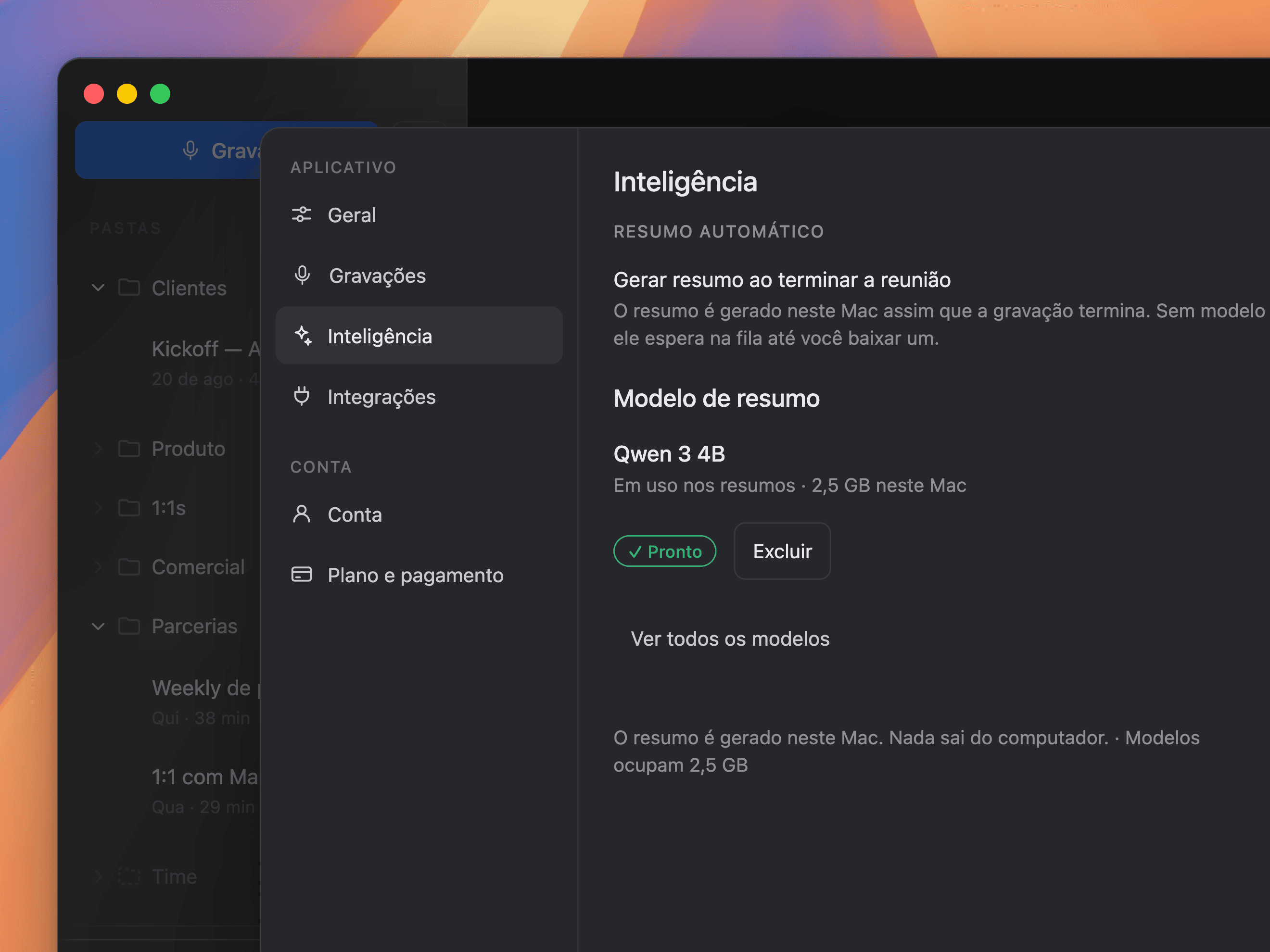
Pick from a few options; the app recommends one by your Mac's memory. Downloads once and that's it.
Stealth mode
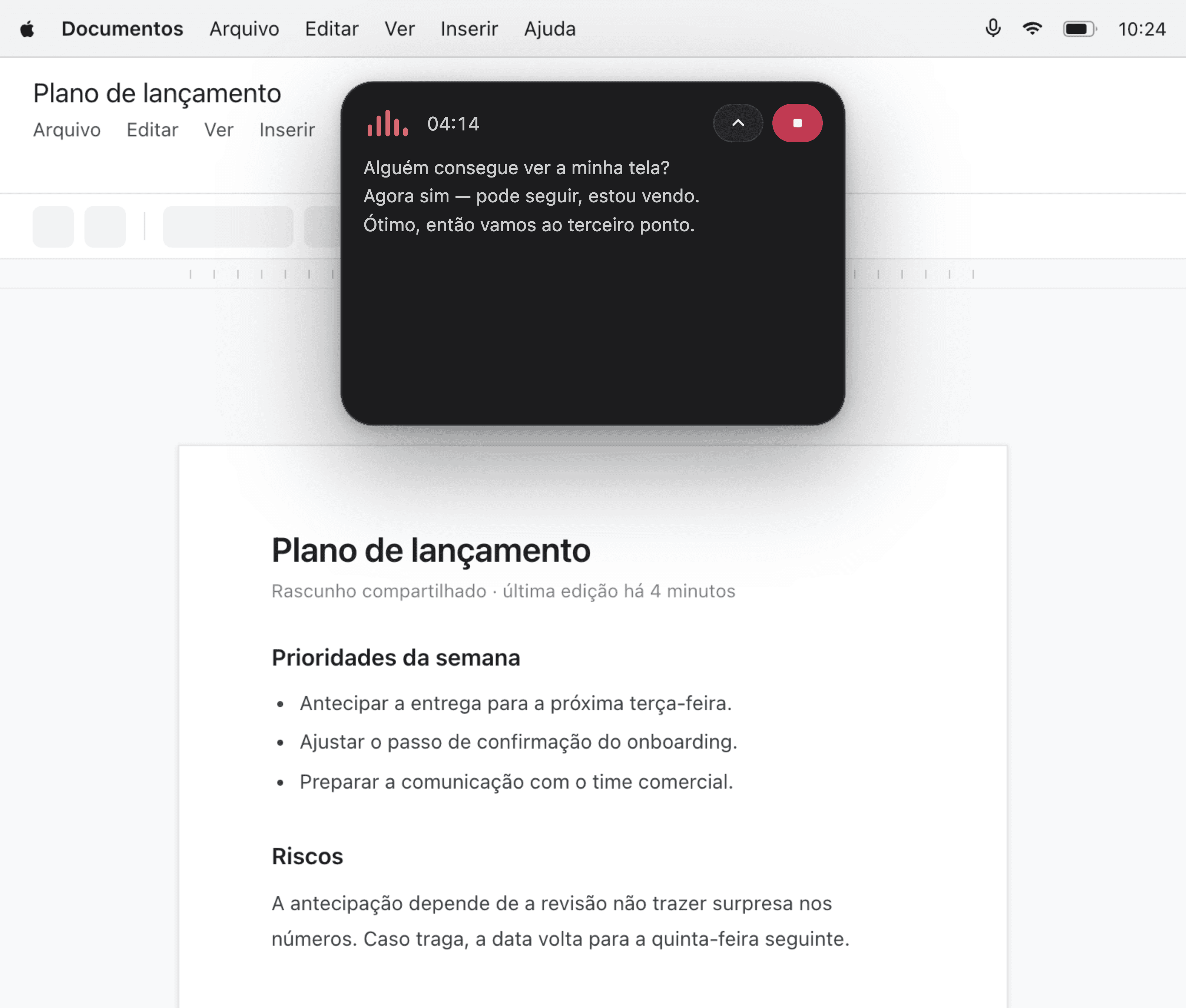
With stealth mode, the panel is invisible to whoever receives your shared screen. You keep watching the transcript roll in, and the meeting sees only your work.
Organization
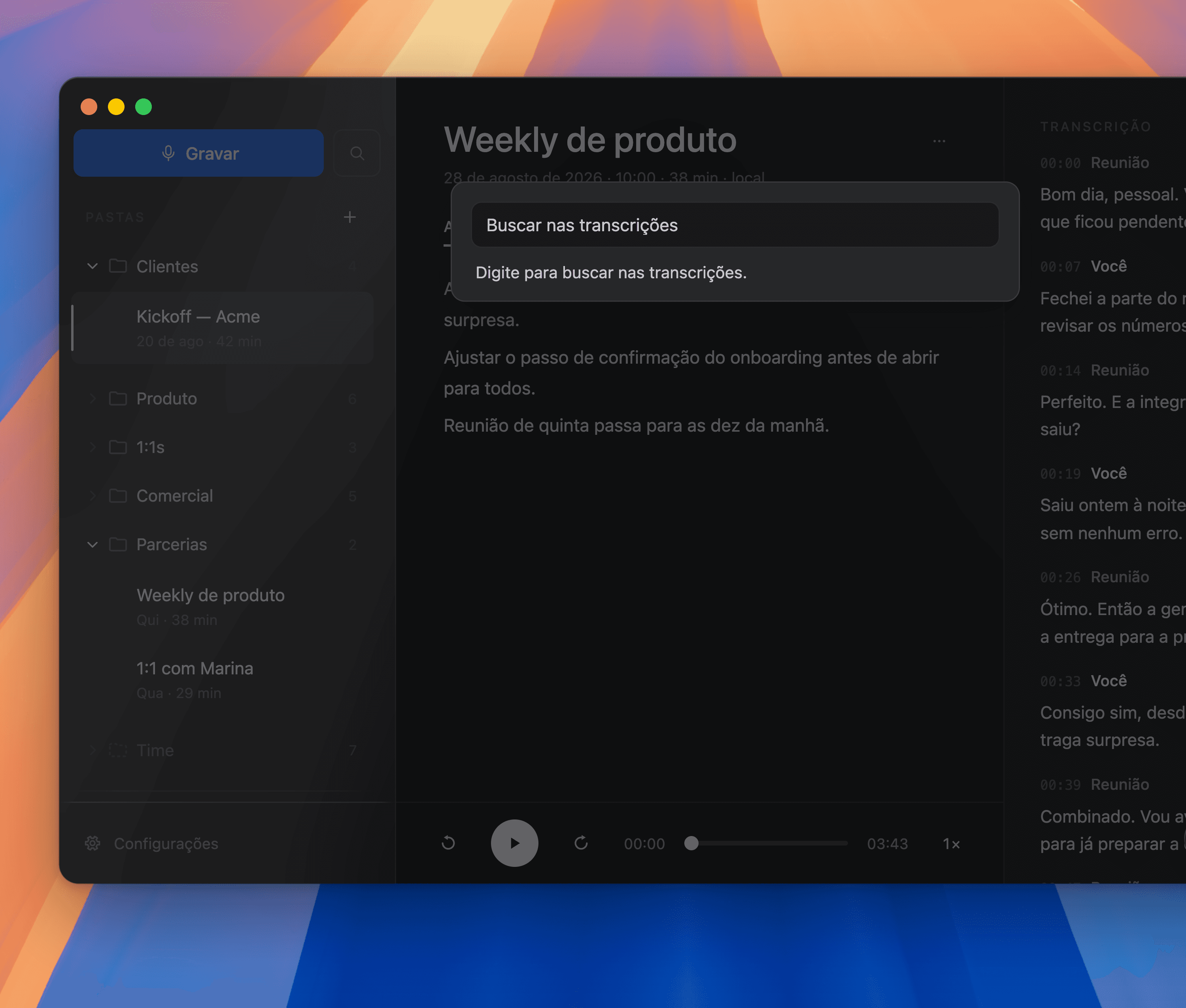
Folders by project, client, or team. Search returns the exact excerpt of what was said, with the timestamp and the source meeting, without reopening a single recording.
How it works
01
Recomeet stays resident and discreet. One click on Start and capture begins. No recording ever starts on its own.
02
During the call, a floating pill shows the audio level, the elapsed time, and the latest lines, without pulling you out of the conversation.
03
When you stop, the audio and the transcript are already on disk and the summary queues itself, ready to review and file in the right folder.
Pricing
Try it with your real meetings, with full access from the first minute.
Everything unlocked
No feature held back during the trial. The whole app, from the start.
At your pace
Download your model, create your folders, and use the whole week.
No surprises
The app shows your subscription status clearly.
7 days free · Cancel anytime
Frequently asked questions
Still have a question? Talk to us.
Only to download the summary model, once. After that, everything (recording, transcribing, and summarizing) happens on your Mac, even offline.
A model that runs on your own Mac. The app downloads the model you pick from a few options, once, recommending one by your available memory, and never asks for an account or an API key.
With stealth mode, the Recomeet panel doesn't appear in the shared screen. Only you see the transcript rolling in.
On your disk, organized in folders you control. Nothing is sent to the cloud.
A Mac with Apple silicon (M1 or newer) running macOS 26 or later. Intel Macs are not supported: both the system's transcription engine and the summary model rely on the Apple chip to run fast enough to be useful. Eight gigabytes of memory is enough for the recommended model; with sixteen, the largest one becomes available too.
The app itself is about 315 MB. The summary model downloads once and takes 1.8 to 5 GB, depending on which one you pick. Recordings add up separately: a one-hour meeting takes roughly 60 MB across both audio tracks, and stays on your disk until you delete it.
You subscribe inside the app and use everything for 7 days. You're only charged on day 8, if you continue.
Inside the app, in a few clicks. Cancel during the 7 days and nothing is charged.
No. Access continues until the end of the period you've paid for, or until the end of the trial.
Download Recomeet and leave the transcription to your Mac. The conversation stays with the people who were in it.
Requires a Mac with Apple silicon, macOS 26